Word Unscrambler: the word-game strategy guide
An unscrambler shows you what your letters can spell. This guide covers the part it can't do for you: the two-letter words that win games, Q-without-U escapes, hooks, bingo stems, rack management — and which dictionary your game actually uses.
Open the Word Unscrambler →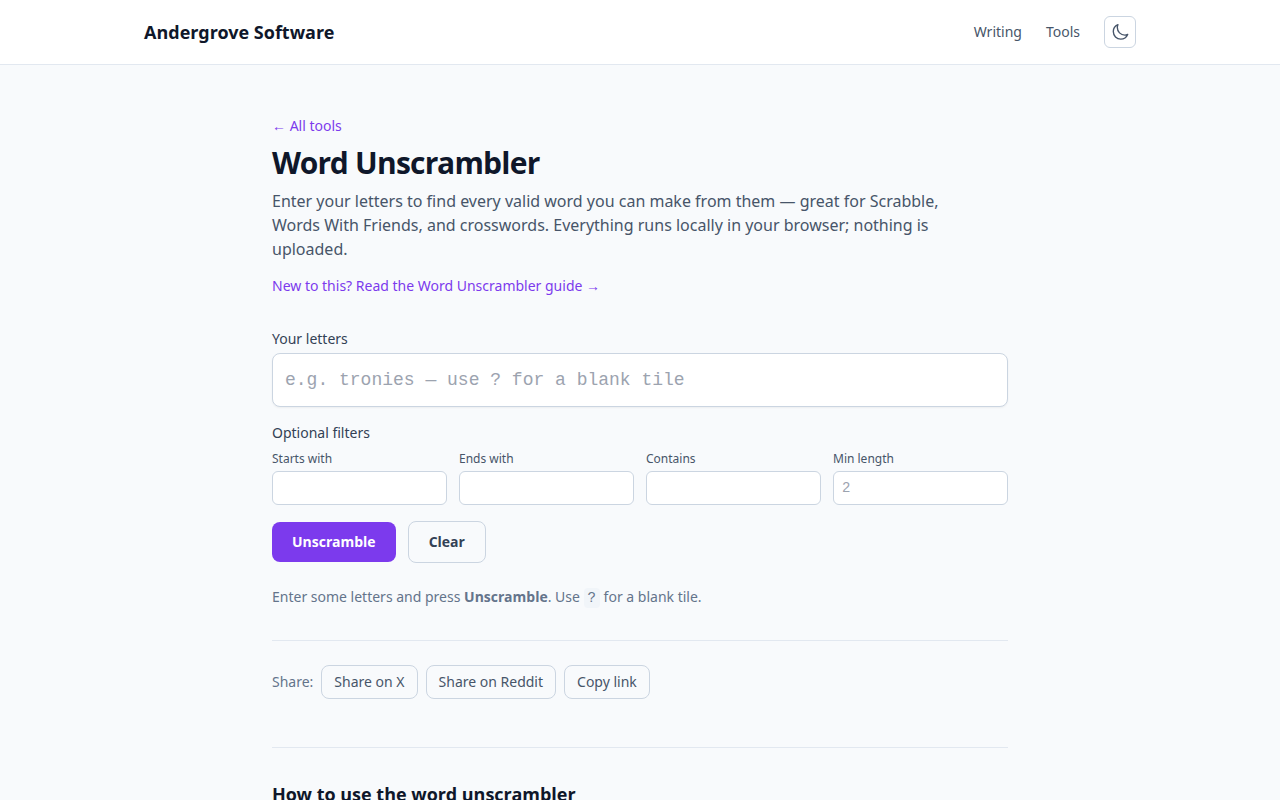
The unscrambler is the last step, not the first
The Word Unscrambler will happily list every word
your letters can spell — type your rack (use ? for each blank tile), press
Unscramble, and read the results grouped by length. But knowing what you can
spell isn't the same as knowing what to play. The difference between an average
player and a strong one is almost entirely the knowledge below: which short words are
legal, where a word can attach, and what to keep on your rack for next turn.
The two-letter words that win games
Nothing raises a word-game score faster than the two-letter words. They let you play parallel to existing words, scoring for every tile twice, and they turn dead corners of the board into scoring spots. The ones built on heavy tiles matter most:
| Word | Meaning | Why it matters |
|---|---|---|
| QI | life force (Chinese philosophy) | The only common way to dump the Q without a U — the single most useful word on this list. |
| ZA | pizza (slang) | Unloads the 10-point Z; on a doubled letter it scores over 30. |
| XI / XU | Greek letter / Vietnamese coin | Two escapes for the X, playable off any I or U on the board. |
| JO | sweetheart (Scots) | The J is the hardest tile to place late; JO fits almost anywhere an O is open. |
| AX / EX / OX | everyday words | Cheap X placements everyone forgets under pressure. |
| AA / OE / AI | lava / whirlwind / three-toed sloth | Vowel dumps that rescue a vowel-flooded rack. |
There are over a hundred legal two-letter words in the major dictionaries. You don't need them all — learn the Q/Z/X/J set above first, because those are the plays that swing 30+ points.
Q without U
Drawing the Q with no U in sight is the classic word-game emergency. These are the standard escapes, roughly in order of how often you'll manage to play them: QI, QAT (a chewable shrub), QAID (a North African chieftain), QOPH (a Hebrew letter), QANAT (an irrigation channel), TRANQ, FAQIR and NIQAB. If none of them fit, remember that exchanging the Q is often better than holding it for three turns — a rack with a stuck Q quietly costs you points every turn it stays.
Hooks: make one word into another
A hook is a single letter that turns a played word into a different word — the engine of parallel scoring. Front hooks: ASH becomes BASH, CASH, DASH, GASH, HASH, LASH, MASH, RASH, SASH or WASH. Back hooks: PLAN takes an E or a T; HEAT takes an S or an H (HEATH). When a word is already on the board, run it through the unscrambler's Starts with or Ends with filter with your rack letters added — that is exactly the situation the filters are for. The S is the game's universal back hook, which is why strong players never spend an S for fewer than 8–10 extra points.
Bingo stems: the 50-point habit
Playing all seven tiles at once — a bingo — earns a 50-point bonus, and it is
the biggest scoring lever in Scrabble. Bingos aren't luck: they come from keeping a
flexible six-letter stem and waiting for a seventh letter that completes it.
The most famous is SATINE (the letters of, say, ENTAILS minus L),
which forms a seven-letter word with more different seventh letters than almost any
other combination — add an R for RETAINS/RETINAS/STAINER, a G for EASTING, a B for
BANTIES, and so on. Other workhorse stems: RETINA,
SATIRE and TONIES. Practice drill: type a stem plus
? into the unscrambler and study which letters produce bingos.
Rack management: what you keep matters more than what you play
- Balance vowels and consonants. Aim to leave three or four consonants and two or three vowels after each play. AEIOU racks and all-consonant racks both stall.
- Break up duplicates. Two of the same letter (beyond S) is nearly always dead weight — prefer plays that spend the copy.
- Hold the S and the blank. Both are bingo enablers. Spend an S only for real points; spend a blank only on a bingo or a game-deciding play.
- Dump the clunkers early. V and C have no two-letter words in the North American list — they get harder to place as the board fills.
Which dictionary is your game using?
Every word game has its own idea of what counts as a word, and arguments start when players don't agree on which list is in force. North American club and tournament Scrabble uses the NASPA Word List (often called TWL); everywhere else plays Collins (SOWPODS), which is noticeably more permissive. Words With Friends maintains its own list, based on the open ENABLE list plus additions — slangier than either Scrabble list. This unscrambler checks a general 63,000-word English dictionary: excellent coverage for everyday play, but for a tournament-legal ruling on an unusual word, check your game's official list before you challenge.
Solving anagrams without a solver
For puzzles where using a tool would spoil the fun, borrow the techniques solvers use. Write the letters in alphabetical order (the alphagram) to break the false pattern your eyes latch onto. Peel off common endings first — -ING, -ED, -ER, -S — and prefixes like RE- and UN-, then anagram the short remainder. And trust letter chemistry: a Q almost certainly sits before a U, an H pairs with C, S, T or W far more often than not.
Your letters stay private
The dictionary downloads once and every match is computed in your browser — nothing you type is sent anywhere. That also means it keeps working instantly after the first search.
FAQ
How do I use a blank or wildcard tile?
Type a question mark (?) for each blank tile. The unscrambler treats it as any single letter, so ca? matches words like cab, cad, can, cap, car, and cat.
Does the unscrambler find shorter words too?
Yes. It returns every valid word that can be built from a subset of your letters, not just full-length anagrams. Use the minimum length filter to hide very short words.
Are my letters sent to a server?
No. The word list is downloaded once and all matching happens in your browser. Nothing you type is uploaded.
What is a bingo in Scrabble?
Playing all seven of your tiles in one turn, which earns a 50-point bonus on top of the word's score. Strong players build toward bingos by keeping flexible six-letter stems like SATINE on their rack.
Why isn't a word I found here valid in my game?
Word games use different dictionaries: North American Scrabble uses the NASPA word list, international play uses Collins, and Words With Friends maintains its own list. This tool uses a general 63,000-word English list, so double-check unusual words against your game's dictionary.
Ready to play? Open the Word Unscrambler →