Convert a Unix Timestamp to a Date in Any Language (JS, Python, SQL)
A Unix timestamp is a count of seconds since 1 January 1970 UTC, and every language can turn it into a human date — the only real traps are seconds versus milliseconds, and timezones. Here are the snippets for each language, the two bugs that catch everyone, and a converter for when you just need to read one value.
Open the Unix Timestamp Converter →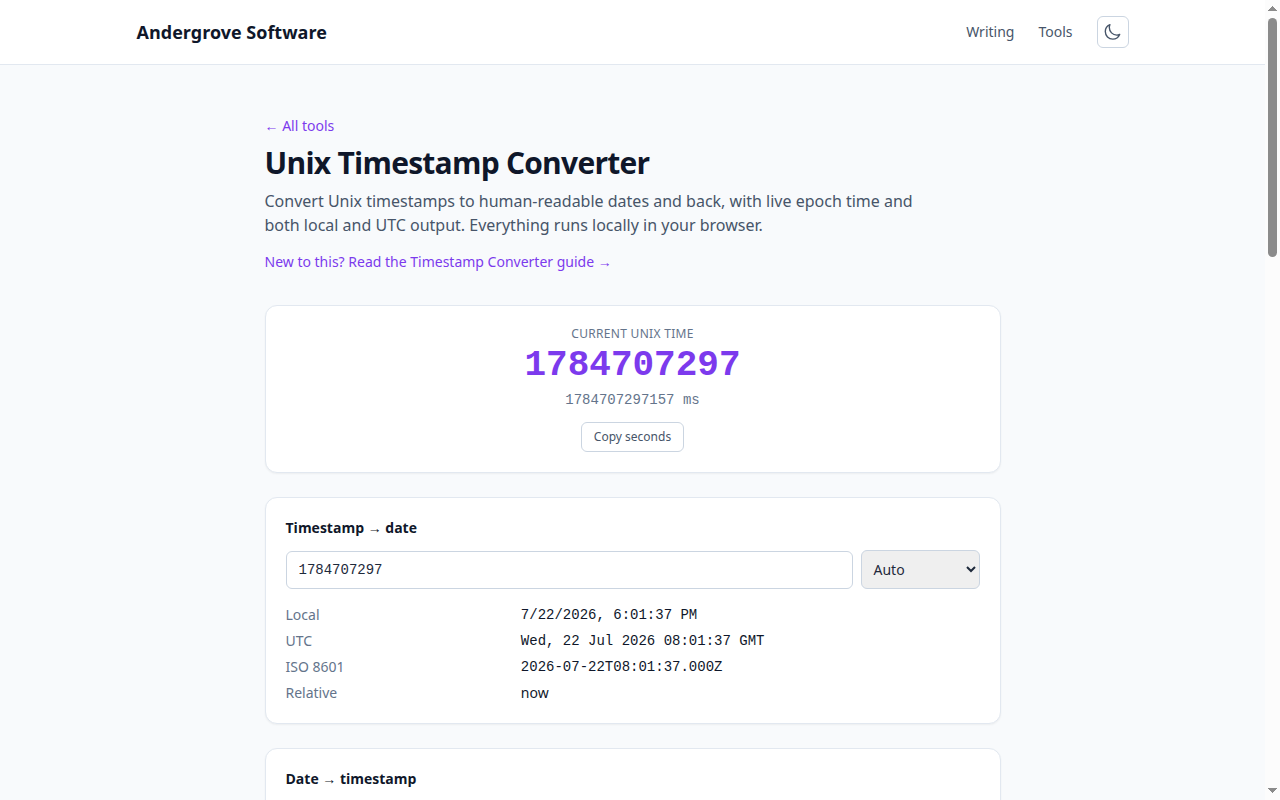
Seconds or milliseconds?
Unix time is defined in seconds, but JavaScript and a lot of APIs work in milliseconds (seconds × 1000). Getting this wrong is the single most common timestamp bug: feed a seconds value to something expecting milliseconds and your date lands in January 1970; do the reverse and it lands tens of thousands of years in the future. A quick sanity check by digit count: a seconds timestamp for a current date is 10 digits (e.g. 1735689600), a milliseconds one is 13 (1735689600000). When in doubt, print the date and see if it looks like now. For the full background, see Unix timestamps explained.
JavaScript
Date takes milliseconds, so multiply a seconds timestamp by 1000:
new Date(1735689600 * 1000);    // from seconds
new Date(1735689600000);        // from milliseconds
Date.now();                     // current time, in ms
Math.floor(Date.now() / 1000);  // current time, in seconds
To format it, toISOString() gives you a UTC ISO 8601 string; toLocaleString() gives the viewer's local time.
Python
from datetime import datetime, timezone

# UTC (recommended)
datetime.fromtimestamp(1735689600, tz=timezone.utc)

# current timestamp, in seconds
import time
int(time.time())
Always pass tz=timezone.utc. The bare datetime.fromtimestamp() uses the machine's local timezone, so the same code gives different results on a laptop and a server — a classic source of "works on my machine" date bugs.
SQL
-- PostgreSQL
SELECT to_timestamp(1735689600);

-- MySQL
SELECT FROM_UNIXTIME(1735689600);

-- current epoch
SELECT EXTRACT(EPOCH FROM now());   -- Postgres
SELECT UNIX_TIMESTAMP();            -- MySQL
Java and Bash
// Java
java.time.Instant.ofEpochSecond(1735689600);

# Bash (GNU/Linux)
date -d @1735689600
# Bash (macOS/BSD)
date -r 1735689600
# current epoch
date +%s
Always store UTC
A Unix timestamp has no timezone attached — it is an absolute instant on the world clock. Store and transmit it as-is (or as UTC), and convert to the user's local timezone only at the moment you display it. Storing local times, or accidentally applying a timezone offset twice, is the second-most-common timestamp bug after the seconds/milliseconds mix-up. If you keep everything in UTC internally and localise only in the view layer, most of these problems disappear.
The Year 2038 problem
Systems that store the timestamp in a signed 32-bit integer overflow on 19 January 2038, when the second count exceeds about 2.1 billion. Modern languages and 64-bit systems use a 64-bit value and are fine for billions of years, but old embedded systems, some databases and legacy C code can still be caught out. If you are defining a new schema, use a 64-bit integer or a native timestamp type — never a 32-bit one.
Reading one value quickly
To sanity-check a single timestamp — or go the other way, from a date to epoch — the Unix timestamp converter shows local time, UTC, ISO 8601 and relative time at once, and auto-detects whether you pasted seconds or milliseconds. It runs entirely in your browser.
Ready to try it? Open the Unix Timestamp Converter →