SSH Key Generator Guide: Create and Install an Ed25519 Key
How SSH keys work, why Ed25519 is the modern default, and how to generate, protect and install a key pair — all without trusting a server with your private key.
Open the SSH Key Generator →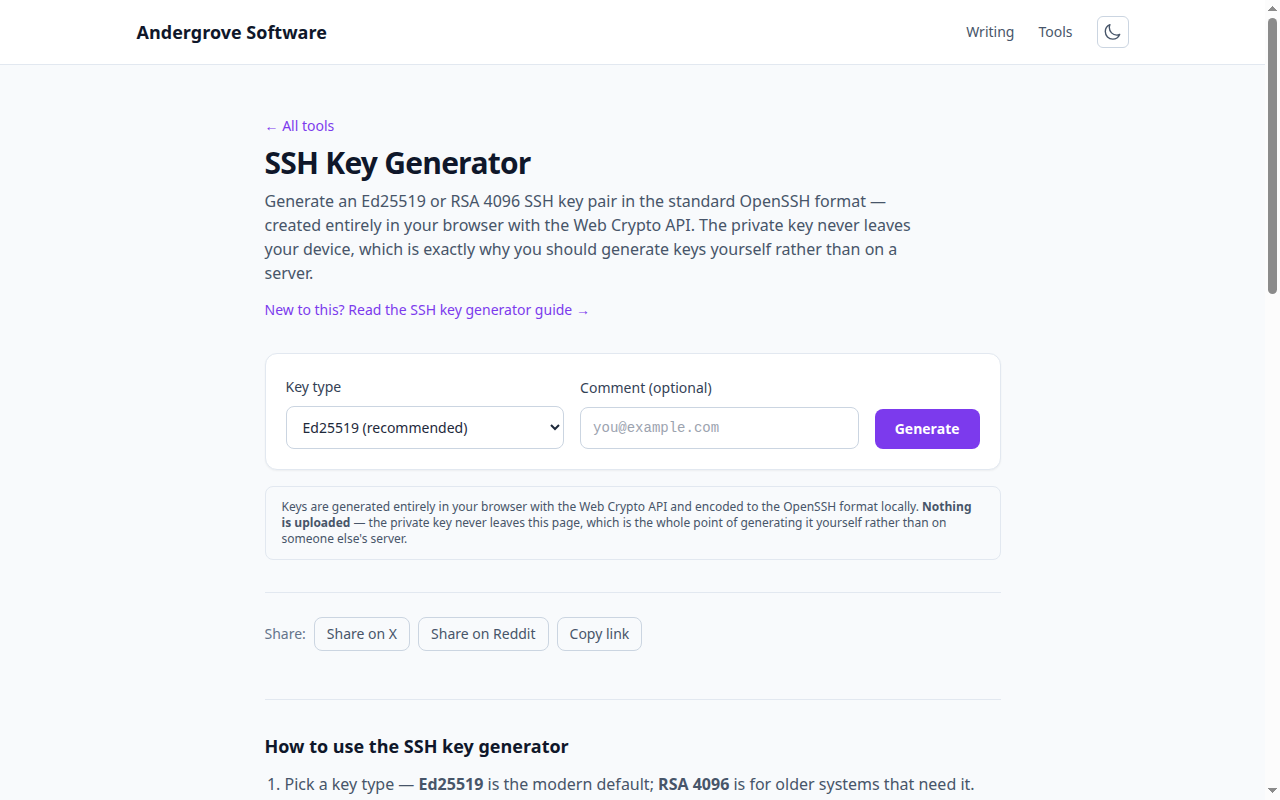
What this tool does
The SSH Key Generator creates a public/private key pair in the OpenSSH format your SSH client and Git host expect. It runs the key generation in your browser with the Web Crypto API, so the private key — the secret half — is created on your machine and never sent anywhere. The output is byte-for-byte the same format as ssh-keygen.
How SSH keys work
An SSH key pair is asymmetric: the private key stays on your computer, and the matching public key is placed on the server. When you connect, the server challenges you to prove you hold the private key, without it ever crossing the network. That is why key auth is stronger than a password — there is no shared secret to steal in transit, and the private key can (and should) be protected with a passphrase.
Which key type?
Choose Ed25519. It produces small, fast keys with excellent security and is supported by every current system, including GitHub and GitLab. On OpenSSH 9.5 and later it is what plain ssh-keygen gives you anyway. RSA is for legacy hosts that lack Ed25519 support; 3072 bits is the default and 4096 is the common belt-and-braces choice. ECDSA (P-256/384/521) is sound cryptography and is accepted by the major Git hosts, but it offers nothing Ed25519 does not, and it depends on a unique random nonce per signature — a sharp edge Ed25519 removed by design. DSA is finished: capped at 1024 bits and removed outright in OpenSSH 10.
For the full comparison, including what post-quantum cryptography does and does not change about your key, see which SSH key type to use.
Installing the key
Save the private key and install the public key where you want to log in:
# save the private key and lock it down
mv id_ed25519 ~/.ssh/id_ed25519
chmod 600 ~/.ssh/id_ed25519

# add a passphrase (recommended)
ssh-keygen -p -f ~/.ssh/id_ed25519

# a server: append the PUBLIC key to authorized_keys
ssh-copy-id -i ~/.ssh/id_ed25519.pub user@host

# a Git host: paste the PUBLIC key into Settings → SSH keys
Only ever share the .pub file. The private key is a credential — treat it like a password.
Protecting the private key
This tool outputs an unencrypted private key so it works in any browser without extra dependencies. Add a passphrase immediately with ssh-keygen -p as shown above; that encrypts the on-disk key so a stolen laptop does not hand over your access. Combined with an SSH agent, you type the passphrase once per session, not per connection.
One key, Git and SFTP both
SFTP is not a separate protocol with separate credentials — it is a subsystem inside an SSH session, so the key you just installed already works for it. Once the public key is on the server, sftp user@host connects with no password prompt, and sftp -i ~/.ssh/id_ed25519_backup user@host picks a specific key. Git hosts work the same way: paste the .pub into GitHub or GitLab and verify with ssh -T git@github.com.
Managing more than one key
As soon as you have a work key and a personal key, stop passing -i by hand and record it once in ~/.ssh/config:
Host github.com
  User git
  IdentityFile ~/.ssh/id_ed25519
  IdentitiesOnly yes

Host github-work
  HostName github.com
  User git
  IdentityFile ~/.ssh/id_ed25519_work
  IdentitiesOnly yes
Cloning from git@github-work:org/repo.git then selects the right key on its own. Keep IdentitiesOnly yes: without it your client offers every key it knows in turn, and a server with a low MaxAuthTries can reject you before the correct one comes up.
Locking down an automation key
Keys used by CI or backup jobs usually have no passphrase, which makes them the most exposed credential on the machine. Constrain what they can do on the authorized_keys line itself:
restrict,command="internal-sftp",from="203.0.113.0/24" ssh-ed25519 AAAAC3Nza... backup@cirestrict disables port forwarding, agent forwarding, X11 and PTY allocation in a single word, and keeps disabling new capabilities as OpenSSH adds them. command="internal-sftp" limits that key to file transfer with no shell. from= pins it to the addresses that should be using it.
Rotating a key
Generate the replacement, add the new public key alongside the old one, confirm you can log in with it, and only then remove the old line from authorized_keys and your Git host. In that order a mistake locks nothing out. Rotate when someone leaves, when a machine is replaced, and whenever you cannot account for where a key has been.
Privacy
Everything happens in your browser. The private key is generated locally and is never transmitted — you can disconnect from the network after the page loads and generation still works. Generating keys on a remote server, by contrast, requires trusting that server with the one secret you should never share.
FAQ
Do I still need -t ed25519?
Not on OpenSSH 9.5 or later, where Ed25519 is already the default. Passing it explicitly costs nothing and makes the intent clear on older machines, which still default to RSA.
Is an Ed25519 key quantum-resistant?
No, and neither is RSA — Shor's algorithm breaks both. Modern OpenSSH does protect session confidentiality with post-quantum hybrid key exchange, but user keys are signatures, which are not vulnerable to recorded-traffic attacks. Rotating to a post-quantum key type once OpenSSH offers one is a two-minute job.
Can I use the same key for GitHub and my servers?
You can, and many people do. Separate keys per destination are better: revoking one does not disturb the others, and a leaked key has a smaller blast radius.
Is my key uploaded anywhere?
No. Generation runs in your browser with the Web Crypto API. Disconnect from the network after the page loads and it still works.
Ready to try it? Open the SSH Key Generator →