Certificate to CSR: regenerate a CSR with OpenSSL
A short guide to rebuilding a CSR from an existing certificate — what the generated OpenSSL command does, why it makes a new key, and how to run it.
Open the Certificate to CSR tool →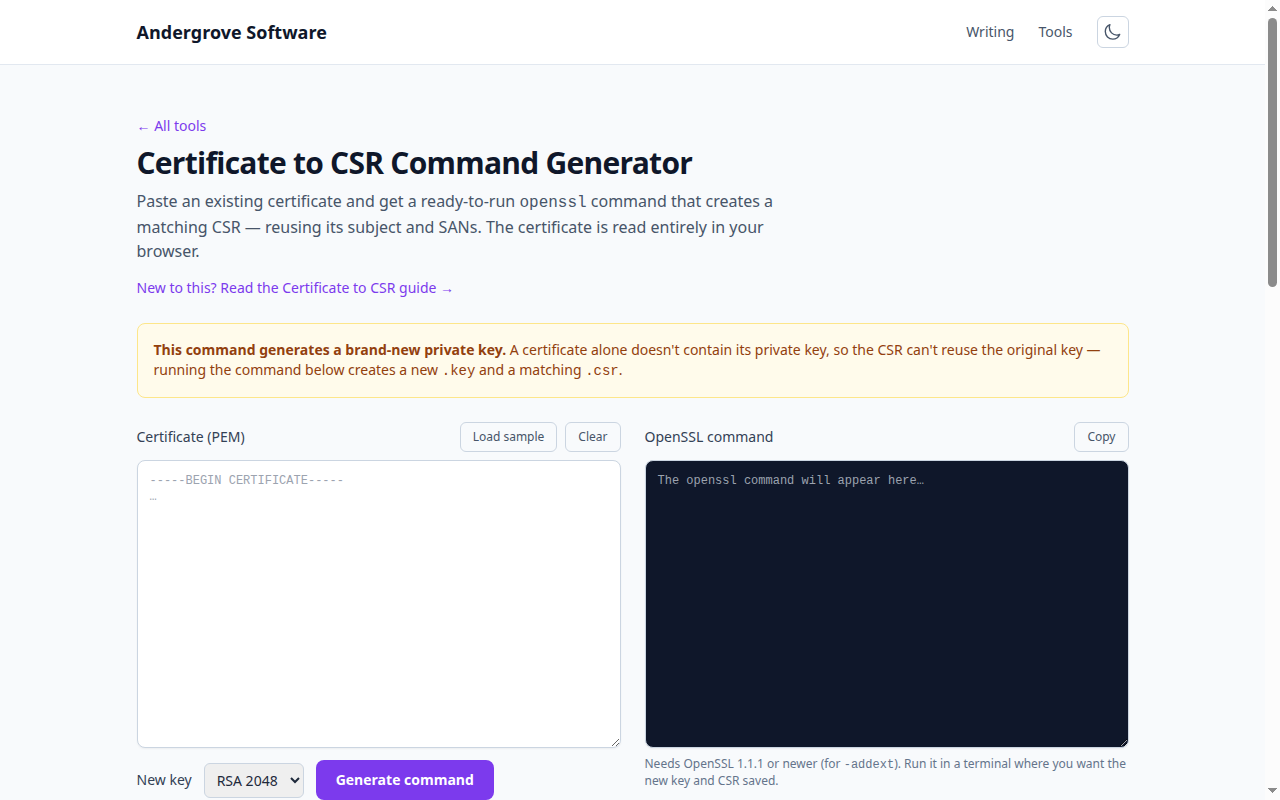
What this tool does
The Certificate to CSR Command Generator reads an existing
certificate, pulls out its subject (organisation, common name, and so on) and its Subject
Alternative Names, and writes a ready-to-run openssl command that produces a
matching CSR. It parses the certificate in your browser and only builds command text — it
doesn't run anything or handle any private key.
Why it generates a new key
A CSR must be signed by a private key to prove you control it. A certificate
contains only the public key, never the private one — so it's impossible to
rebuild a CSR for the original key from the certificate alone. The command therefore creates
a fresh private key (-newkey rsa:…) alongside the CSR. That's the right choice
for most renewals, and many certificate authorities encourage re-keying anyway.
If you specifically need to reuse your existing key, run
openssl req -new -key existing.key -subj "…" -addext "…" with that key instead.
How to use it
- Open the tool and paste your certificate (PEM).
- Pick the new key size (RSA 2048 or 4096).
- Press Generate command and copy it.
- Run it in a terminal where you want the
.keyand.csrsaved, then submit the CSR to your certificate authority.
What the command contains
-newkey rsa:2048 -nodes— generate a new, unencrypted private key.-keyout name.key -out name.csr— where to write the key and the CSR.-subj "/C=…/O=…/CN=…"— the subject copied from your certificate.-addext "subjectAltName=DNS:…,DNS:…"— the SANs copied across (needs OpenSSL 1.1.1+).
Your certificate stays private
The certificate is parsed locally to read its subject and SANs; nothing is uploaded. The command runs later on your own machine, where your new key is created and stays.
FAQ
Can I make a CSR from just a certificate?
You can copy its subject and SANs, but signing needs a key — so a new key is generated.
Does this keep my original key?
No — use openssl req -new -key existing.key if you must reuse it.
Is my certificate uploaded?
No — it's parsed in your browser to build the command.
Want to inspect the certificate first? Try the Certificate Decoder, or open the Certificate to CSR tool →