Markdown Previewer: write, preview, export
A short guide to writing Markdown — the syntax you'll use most, how the live preview and HTML export work, and why it all stays on your device.
Open the Markdown Previewer →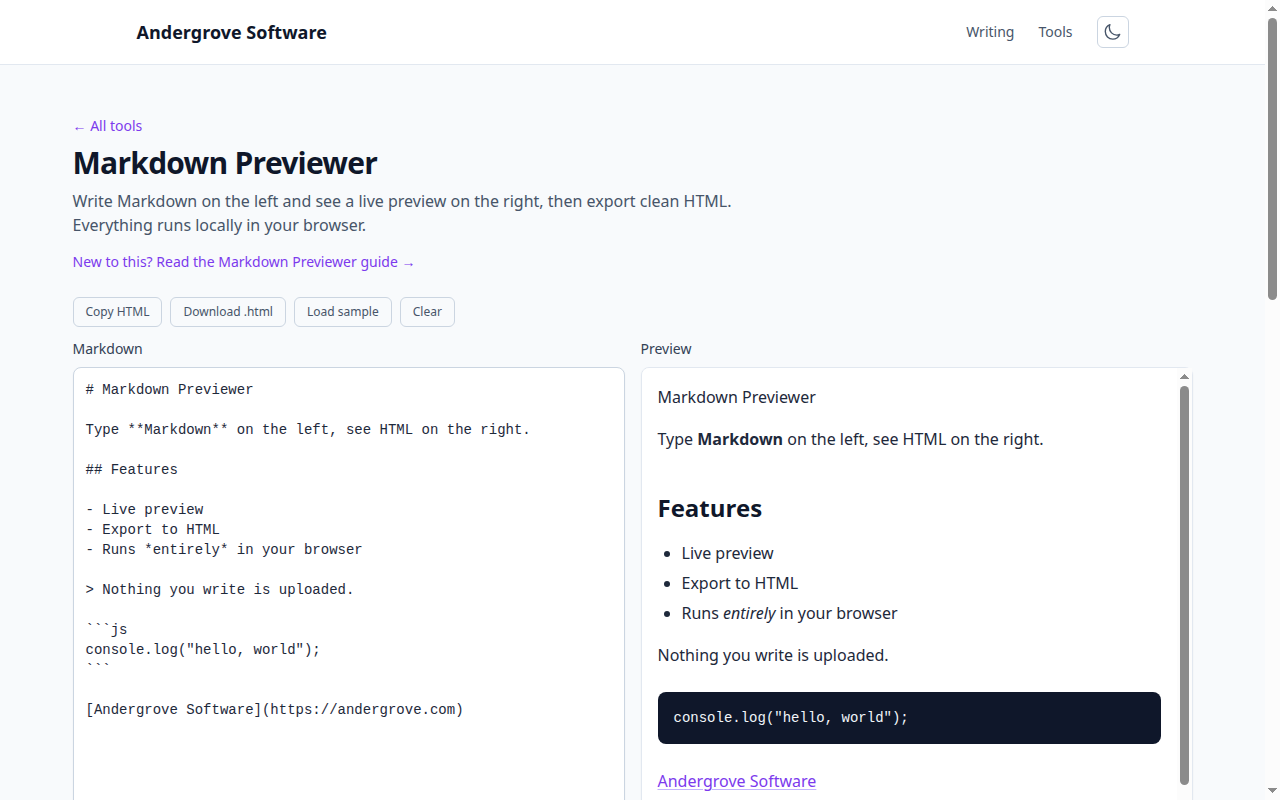
What this guide covers
Markdown is a plain-text formatting syntax that turns into HTML. This is a practical reference to the syntax you will use most, with each snippet ready to paste into the Markdown Previewer so you can watch it render live.
Headings
Use one to six # characters for heading levels one to six, followed by a space.
# Title
## Section
### Subsection
Emphasis and inline styles
*italic*or_italic_for italic.**bold**for bold, and***bold italic***for both.~~strikethrough~~crosses text out (a GitHub extension).- Backticks make
`inline code`.
Lists
Start unordered items with -, * or +; start ordered
items with a number and a dot. Indent to nest a sub-list.
- First
- Second
  - Nested item
1. Step one
2. Step two
GitHub-style task lists use - [ ] for an empty checkbox and - [x]
for a checked one.
Links and images
A link is [text](https://example.com). An image is the same with a leading
!: . Always write real alt text so
the image is described when it cannot be shown.
Blockquotes and rules
> A quoted line.
> > A nested quote.

---
Three dashes on their own line draw a horizontal rule.
Code blocks
Wrap a block in three backticks. Add a language name after the opening fence for syntax highlighting on platforms that support it.
```js
console.log("hello");
```
Tables
Separate columns with pipes and mark the header with a row of dashes. Colons set the column alignment.
| Tool           | Free  |
| -------------- | :---: |
| JSON Validator | yes   |
Line breaks: the common gotcha
A single newline usually does not start a new line in the output. To force a line break, end a line with two spaces, or leave a blank line to begin a new paragraph. This is the mistake that trips people up most.
Escaping special characters
To show a character that Markdown would otherwise treat as formatting, put a backslash before
it: \*not italic\*. That works for literal asterisks, underscores, backticks,
hashes and brackets.
CommonMark and GitHub-flavored Markdown
The core syntax is standardised as CommonMark. GitHub-Flavored Markdown (GFM) adds tables, task lists, strikethrough and automatic links. The previewer supports CommonMark plus the common GFM extensions, so what renders here matches what most platforms produce. When you are done, Copy HTML puts the rendered markup on your clipboard and Download .html saves a standalone file, all without anything leaving your browser.
FAQ
What Markdown does it support?
CommonMark plus common GitHub-style extensions, via the marked parser.
Can I export the result?
Yes — copy the HTML or download a complete file.
Is my text uploaded?
No — it's parsed entirely in your browser.
Ready to try it? Open the Markdown Previewer →