LLM API Cost Calculator Guide: Budgeting Tokens and Requests
How LLM API billing works and how to turn token counts and traffic into a realistic monthly budget — including why output tokens cost more and how to compare models fairly.
Open the LLM API Cost Calculator →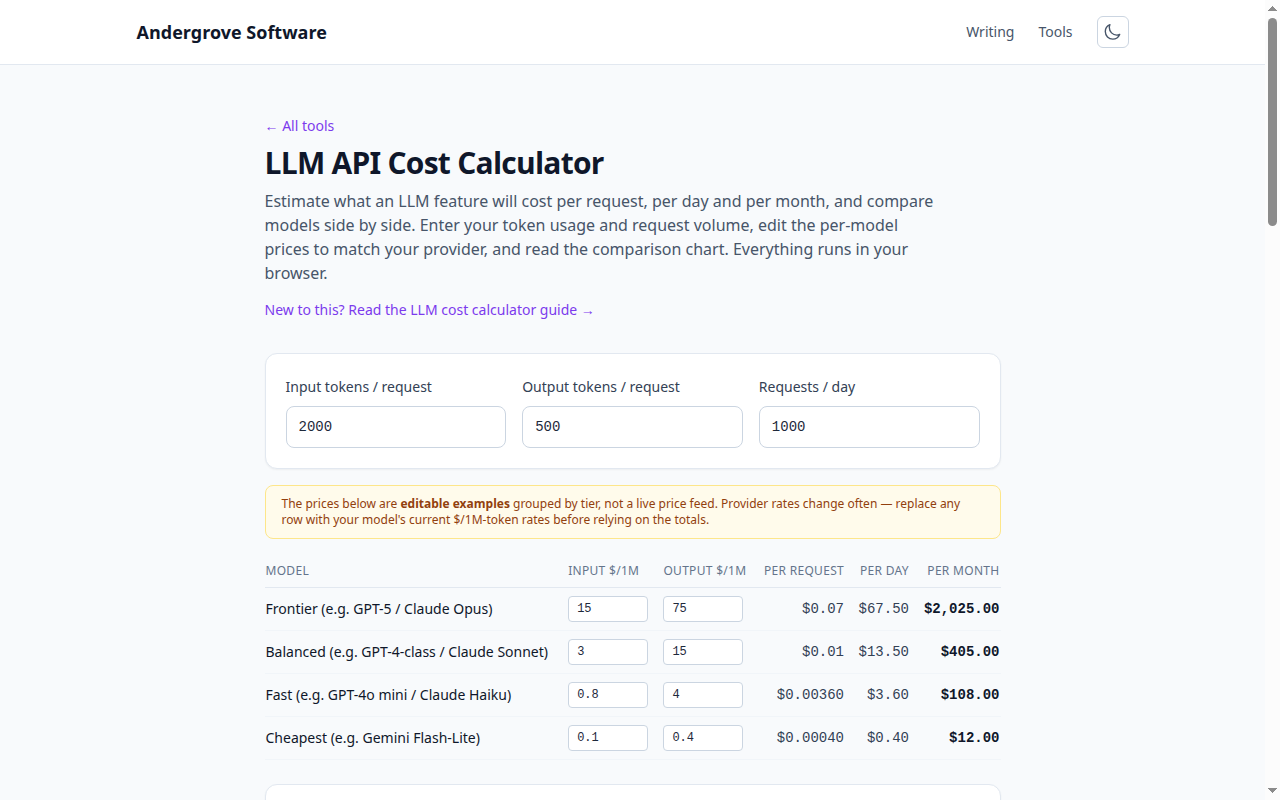
What this tool does
The LLM API Cost Calculator multiplies your per-request token usage by your traffic and your models' prices to show cost per request, per day and per month — for several models at once, so you can see the spread before you commit. It pairs with the token counter, which measures how many tokens a given prompt actually uses.
How API billing works
LLM APIs bill per token — roughly ¾ of a word — and price input (the prompt you send) and output (the text generated) separately. Rates are quoted per million tokens. Your monthly cost is simply:
(input_tokens ÷ 1M × input_price
 + output_tokens ÷ 1M × output_price)
 × requests_per_day × 30
The calculator does this for each model row; edit the prices to match your provider's current rates.
Why output tokens cost more
Generating text is more expensive than reading it, so output is typically priced 3–5× higher than input. That has a practical consequence: capping response length usually saves more than trimming the prompt. A retrieval-augmented app with a huge context but short answers behaves very differently from a summariser that reads a little and writes a lot — splitting input and output makes the difference explicit.
Estimating token counts
For a realistic figure, measure a few representative prompts in the token counter and average them. Remember that anything you resend each turn — the system prompt, chat history, retrieved documents — counts as input every request, so a conversation gets more expensive as it grows. For the mechanics of why token counts surprise people, see how LLM tokenization works.
Comparing models
The cheapest model is not always the best value: a smaller model that needs two attempts, longer prompts or more retries can cost more than a capable one that gets it right once. Use the comparison to bracket your options, then validate the top one or two on real traffic. Prices move frequently, so re-check the provider's pricing page rather than trusting a number you cached months ago.
Privacy
The calculator is pure arithmetic in your browser. No prompt, token count or cost figure is uploaded — you can model a confidential product's economics without anything leaving the page.
Ready to try it? Open the LLM API Cost Calculator →