Embedding Projector Guide: Visualising Vectors with PCA
How to turn high-dimensional embeddings into a 2D picture you can read, what PCA preserves and loses, and how the scatter relates to cosine-based retrieval.
Open the Embedding Projector →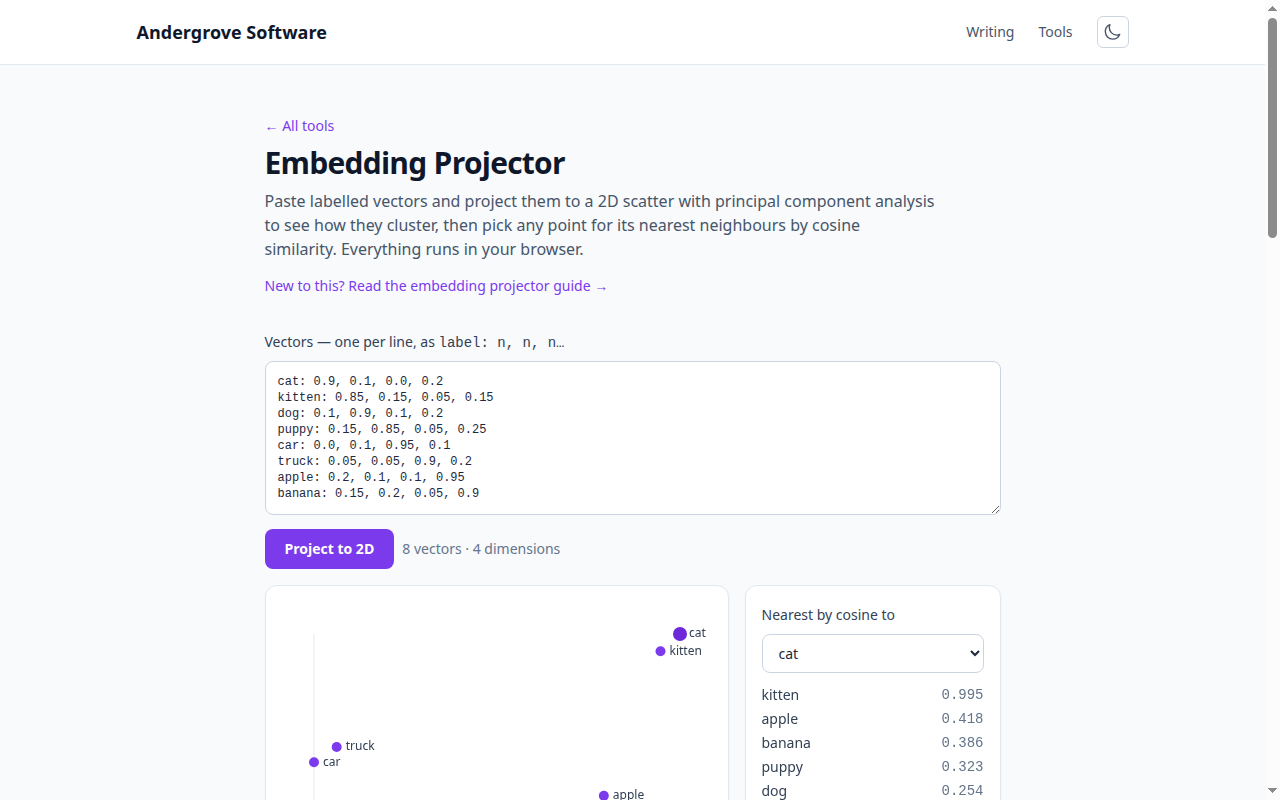
What this tool does
The Embedding Projector takes labelled vectors — word or sentence embeddings, feature vectors, anything numeric — and projects them to a 2D scatter with principal component analysis, so you can see which ones cluster. Select a point and it lists the nearest others by cosine similarity. It all runs in your browser.
How to format your vectors
One vector per line, as a label, then its numbers: cat: 0.9, 0.1, 0.0. Numbers can be separated by commas or spaces, and every vector must have the same length (lines that do not match are skipped with a note). Most embedding APIs return a plain array of floats you can paste directly with a label in front.
What PCA shows
Embeddings live in hundreds or thousands of dimensions. Principal component analysis finds the two directions of greatest variation and flattens everything onto them, keeping as much of the spread as possible in a picture you can actually see. Clusters on the map usually correspond to groups that are close in the full space — related words, similar documents. It is the quickest way to sanity-check that an embedding model is separating your data the way you expect.
What it does not show
A 2D projection discards every dimension beyond the first two, so distances on the map are approximate and two points that look close might be farther apart in reality (and vice versa). Read the scatter for structure — groupings and outliers — not for precise measurement. When two points look close and it matters, check the actual number.
Cosine similarity is the real measure
Vector search and RAG rank results by cosine similarity on the full vectors, not by 2D distance. That is why this tool computes neighbours on the original embeddings and shows the exact scores alongside the map. When the picture and the numbers disagree, trust the numbers. The cosine similarity calculator lets you compare any two vectors directly, and embeddings and cosine similarity explained covers the why.
Privacy
The PCA and similarity maths run entirely in your browser — no vector you paste is uploaded. You can visualise embeddings of proprietary text without anything leaving the page.
Ready to try it? Open the Embedding Projector →