Cron Expressions Explained: The 5 Fields and Their Traps
A cron expression is five space-separated fields — minute, hour, day of month, month, day of week — each saying "run when the clock matches". The syntax fits on an index card, but three or four traps inside it have paged more engineers at 2am than almost any other config format. Here is the syntax, the traps, and a recipe table.
Open the Cron Expression Parser →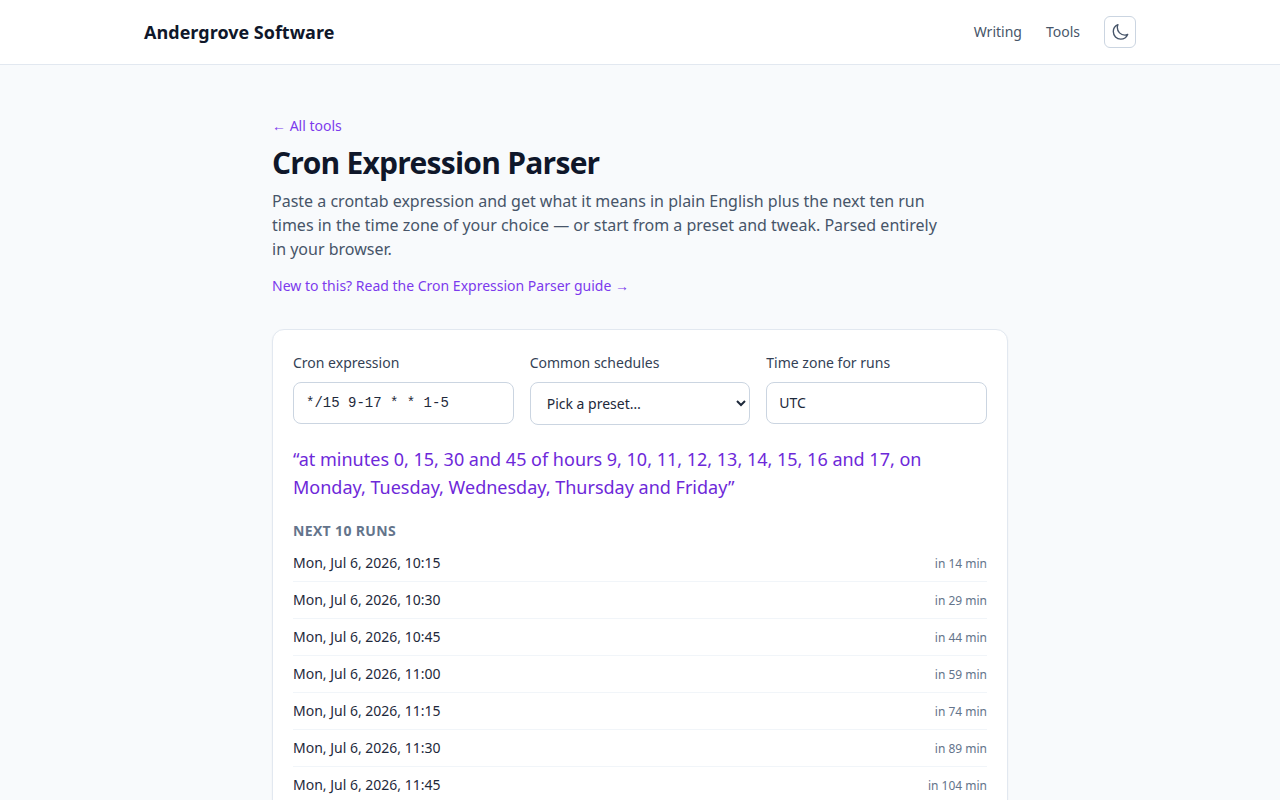
Reading the five fields
Take */15 9-17 * * 1-5. Field by field: minute */15 (every 15th minute: 0, 15, 30, 45), hour 9-17 (9am through 5pm inclusive), day-of-month * (any), month * (any), day-of-week 1-5 (Monday–Friday). Together: every quarter-hour during business hours on weekdays.
The four operators compose: * is "every", a-b a range, a,b,c a list, and /n a step over whatever precedes it (*/10, or 10-40/10 for 10, 20, 30, 40). Months and weekdays accept names (JAN, MON), and both 0 and 7 mean Sunday — a historical accident every implementation preserves. The @daily, @hourly, @weekly macros are shorthand for common lines.
The OR trap: day-of-month vs. day-of-week
The most misunderstood rule in cron: if both day fields are restricted, the job runs when either matches, not both. 0 0 13 * 5 does not mean "Friday the 13th" — it means "every 13th of the month and also every Friday", which is roughly six runs a month instead of one or two a year. This dates to the original V7 Unix cron and survives in Linux, macOS and most schedulers.
If you actually need the AND (Friday the 13th), cron alone can't say it — the standard workaround is to match one field in cron and test the other in the command: 0 0 13 * * [ "$(date +\%u)" = 5 ] && run-thing. (Note the escaped %: percent signs are special in crontab lines, another classic surprise.)
Time zones and the DST double-run
Cron fires when the server's wall clock matches — and wall clocks jump twice a year. In a zone with daylight saving, a job scheduled at 2:30am never runs on spring-forward night (2:30 doesn't exist) and — on some schedulers — runs twice on fall-back night. Modern cron implementations patch around this in different ways, which is precisely the problem: the behaviour depends on the scheduler.
Three defensive habits: schedule between 3am and 5am local (outside the DST window) or keep the server on UTC; make jobs idempotent so an accidental double-run is harmless; and when you inherit a schedule, check what "9am" means in the server's zone with a time zone converter before assuming it's yours. Kubernetes CronJobs, GitHub Actions schedules and most cloud schedulers run in UTC by default — the 9am job that fires at 7pm is almost always this.
A recipe table worth stealing
| Expression | Meaning |
|---|---|
*/5 * * * * | Every 5 minutes |
0 * * * * | Top of every hour |
0 0 * * * | Daily at midnight |
30 4 * * * | Daily at 04:30 (a good backup slot) |
0 9 * * 1-5 | Weekdays at 09:00 |
0 0 * * 0 | Sundays at midnight |
0 0 1 * * | First of the month, midnight |
0 */6 * * * | Every 6 hours (00:00, 06:00, 12:00, 18:00) |
15 3 * * 6 | Saturdays at 03:15 |
0 8 1 1,7 * | 08:00 on 1 January and 1 July |
Two habits that prevent most cron incidents: never deploy an expression you haven't read back in plain English — paste it into the parser and check the next ten runs look like what you meant — and stagger your minutes: scheduling everything at minute 0 creates a top-of-the-hour thundering herd against your own database; 7 * * * * runs just as hourly as 0 * * * *.
Beyond the five fields
Some ecosystems extend the format: Quartz (Java) adds a seconds field in front and a years field behind, plus L ("last day") and # ("second Tuesday") symbols — so a six- or seven-field expression you've been handed is probably Quartz, not crontab. systemd timers use a different, more readable syntax entirely (OnCalendar=Mon..Fri 09:00) with built-in randomised delay and catch-up runs after downtime, and are worth preferring for new work on Linux hosts. The five-field classic remains the lingua franca everywhere else: crontabs, Kubernetes, CI schedules, and every scheduler's documentation.
Ready to try it? Open the Cron Expression Parser →