Linux File Permissions Explained: chmod, Octal and rwx
Sooner or later every developer meets a "Permission denied", runs a half-remembered chmod from Stack Overflow, and moves on without quite knowing what the numbers meant. The system underneath is small and genuinely elegant: nine bits, three classes, one addition rule. Ten minutes here and you will never need to look up 755 again.
Open the Chmod Calculator →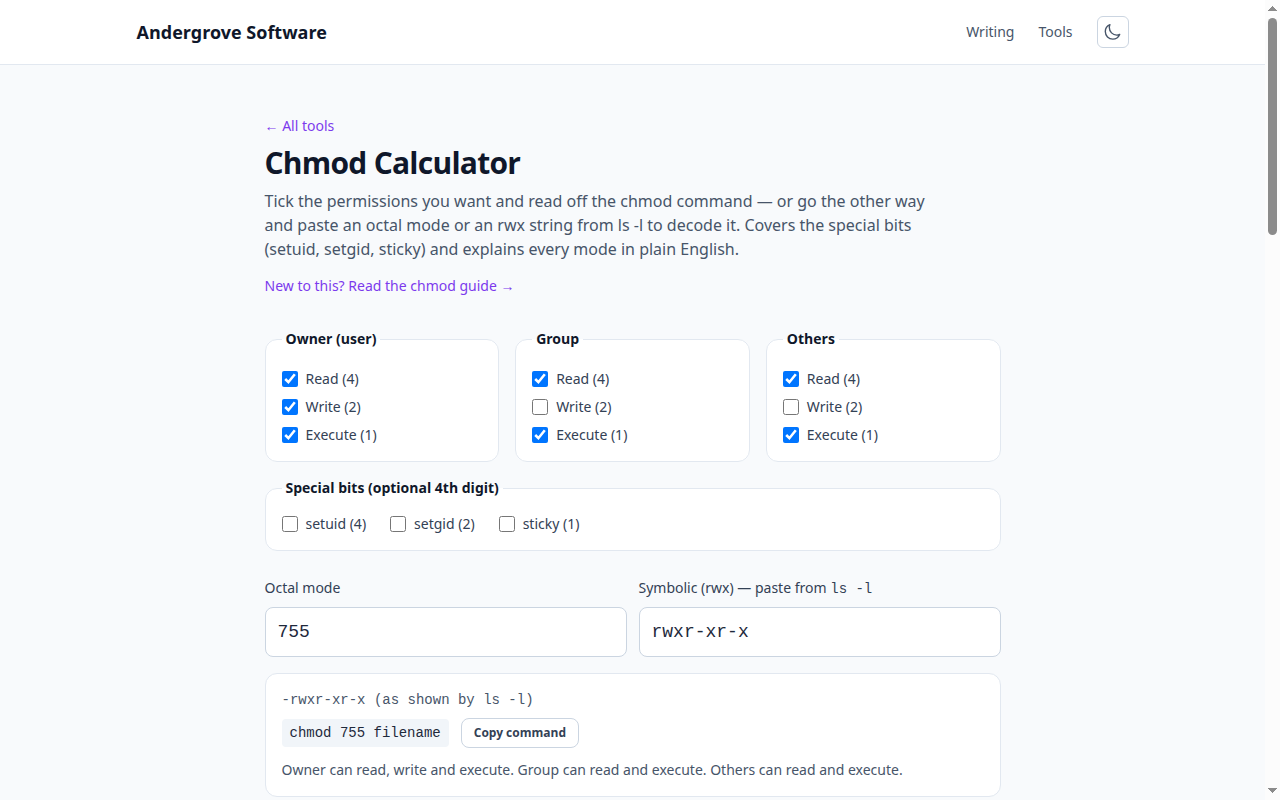
The model: three classes, three permissions
Every file and directory has one owner, one group, and permissions defined for three classes of user: the owner (u), the group (g), and others (o) — everyone else. Each class independently gets three switches: read, write and execute. That's the entire model: nine bits (plus three special ones covered below). The chmod calculator is those nine bits as checkboxes.
One crucial subtlety: the bits mean different things for directories. On a file, read/write/execute are what they sound like. On a directory, read = list the names in it, write = create/delete/rename entries, and execute = enter it and access things inside. This is why directories need execute to be usable at all — and why 644 on a directory breaks it while 755 works.
Why 755 means what it means
The octal notation is just each class's bits added up: read = 4, write = 2, execute = 1.
| Digit | Sum | Meaning |
|---|---|---|
7 | 4+2+1 | read, write, execute |
6 | 4+2 | read, write |
5 | 4+1 | read, execute |
4 | 4 | read only |
0 | — | nothing |
So chmod 755 is "owner: everything; group and others: read and execute" — right for directories and executables — and chmod 644 is the same idea without execute, right for plain files. The pair covers 90% of real usage, which is why they're muscle memory for sysadmins.
setuid, setgid and the sticky bit
The optional fourth digit (in front: 4755) covers three special bits:
- setuid (4) — an executable runs with its owner's identity instead of the runner's. This is how
passwdedits a root-owned file for you. A security-sensitive bit: setuid root binaries are a classic attack surface, so add it only with cause. - setgid (2) — on executables, the group equivalent of setuid; far more usefully, on a directory it makes new files inherit the directory's group — the standard trick for shared project folders.
- sticky (1) — on a world-writable directory, only a file's owner may delete or rename it.
/tmpis1777(rwxrwxrwt) for exactly this reason.
In ls -l these appear in the execute column as s/t (execute also set) or S/T (execute not set) — paste any of it into the calculator's symbolic box and it decodes.
Why chmod 777 is the wrong fix
chmod 777 "fixes" permission errors by letting every account on the system — including a compromised web server or any other user — modify or replace the file. Web servers refuse to serve some 777 content, shared hosts flag it, and it turns any other vulnerability into a write-anywhere. The error you were fighting is almost always an ownership problem, and the right tool is chown:
# wrong: chmod -R 777 /var/www/app
sudo chown -R www-data:www-data /var/www/app
find /var/www/app -type d -exec chmod 755 {} +
find /var/www/app -type f -exec chmod 644 {} +
That's the canonical web-directory recipe: correct owner, 755 directories, 644 files.
The permissions that bite in practice
- SSH is strict:
~/.sshmust be700and private keys600— OpenSSH silently ignores keys that are group- or world-readable, producing baffling "Permission denied (publickey)" errors. - "My script won't run": a fresh file has no execute bit;
chmod +x script.sh(or 755) is the fix. - Cloud key files: AWS's
.pemfiles must be400or ssh refuses them outright. - Git tracks the execute bit (only that one) — a script that loses its
xon someone else's clone usually lost it in a commit.
Ready to try it? Open the Chmod Calculator →